
Whistle Log
Log games, fees and reports
Whistle Log is a record book for people who officiate games. Each game you work is one entry. You write down when and where it was, who played, what you were paid and what is still owed. You add what the day cost you to get there. At the end of a season the whole history is in one place, ready for an assigner, a tax year or your own records.
A look at it
Log a game fast
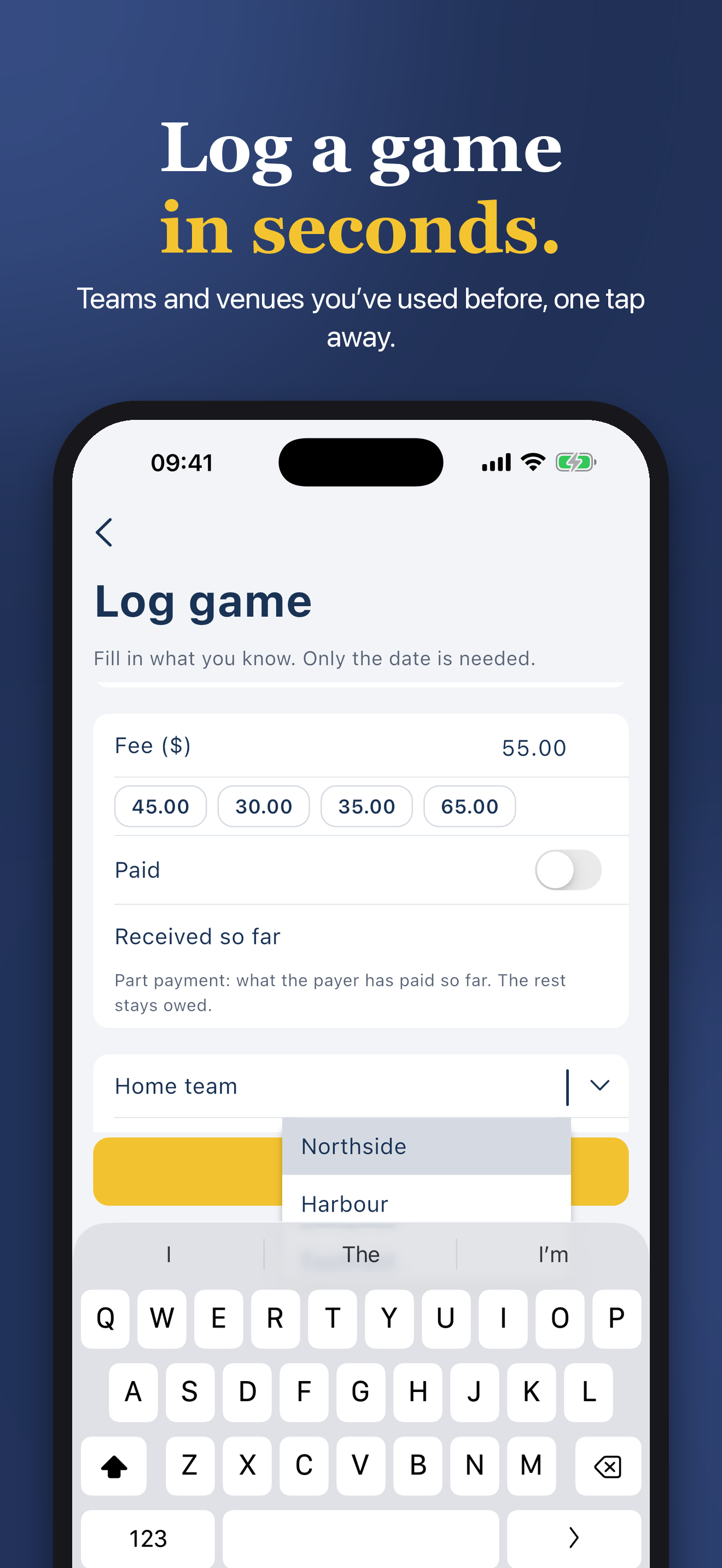
- Date, sport, league or level, your position, teams, venue, assigner, fee, distance, notes and whether you are paid.
- A new game starts from your last one. Swipe a game to log the same game again, with teams, venue, crew and fee filled in.
- Teams, venues, assigners and leagues you used before are saved as lists you can tap.
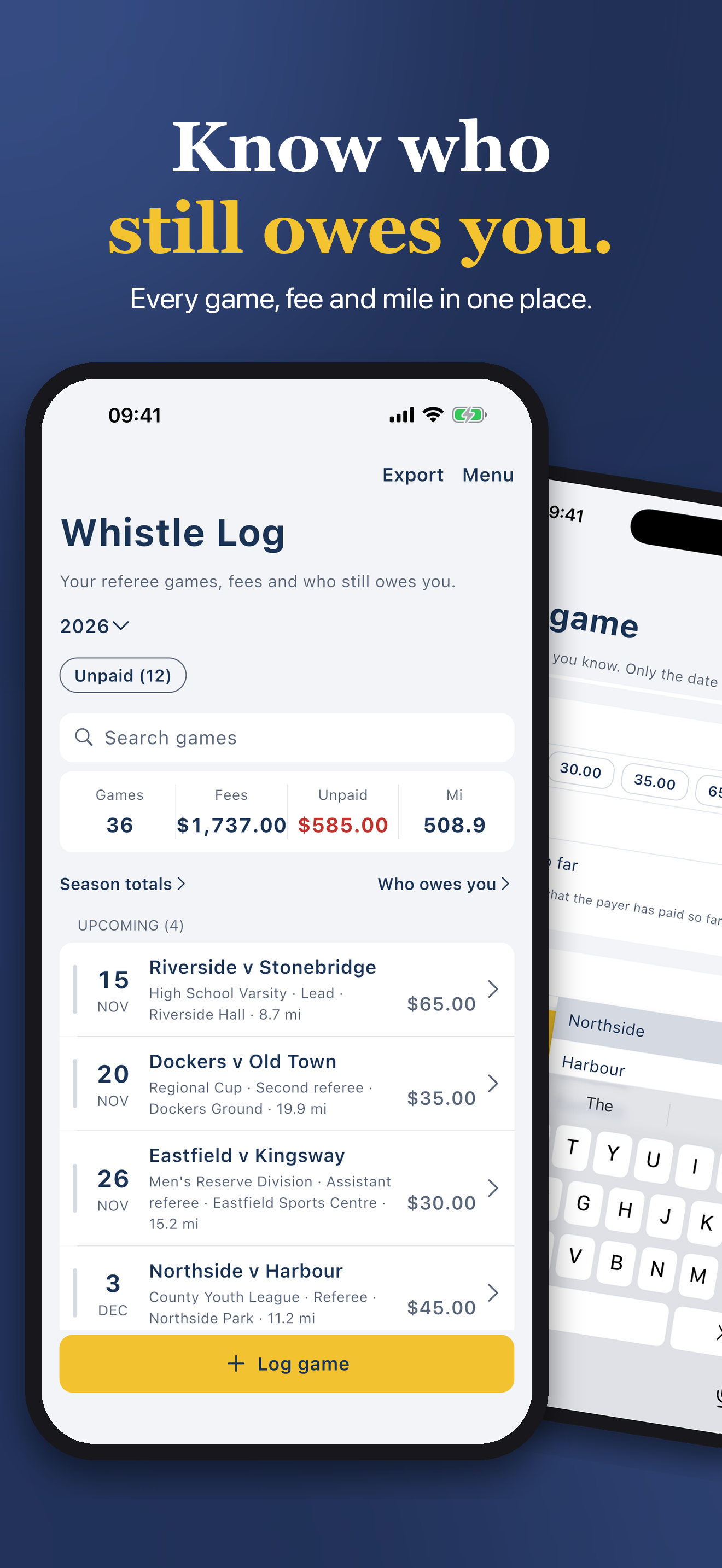
- Search sits above the list once you have five games. It reads teams, league, venue, payer, notes, a crew name or a date like 12 Mar, across every season.
Sports and positions
- Soccer, futsal, basketball, baseball, softball, volleyball, ice hockey, American football, lacrosse, rugby and field hockey, each with its own list of official positions.
- Any other sport uses a list of positions you edit.
Crew
- Add your crew partners and their positions to each game.
Money
- Fee for the game, whether it is paid, the date you were paid and how.
- Expenses with a note, and mileage at your own rate.
- Filter to unpaid games. One tap marks a game paid.
- Season totals show games, fees, what is still unpaid and distance.
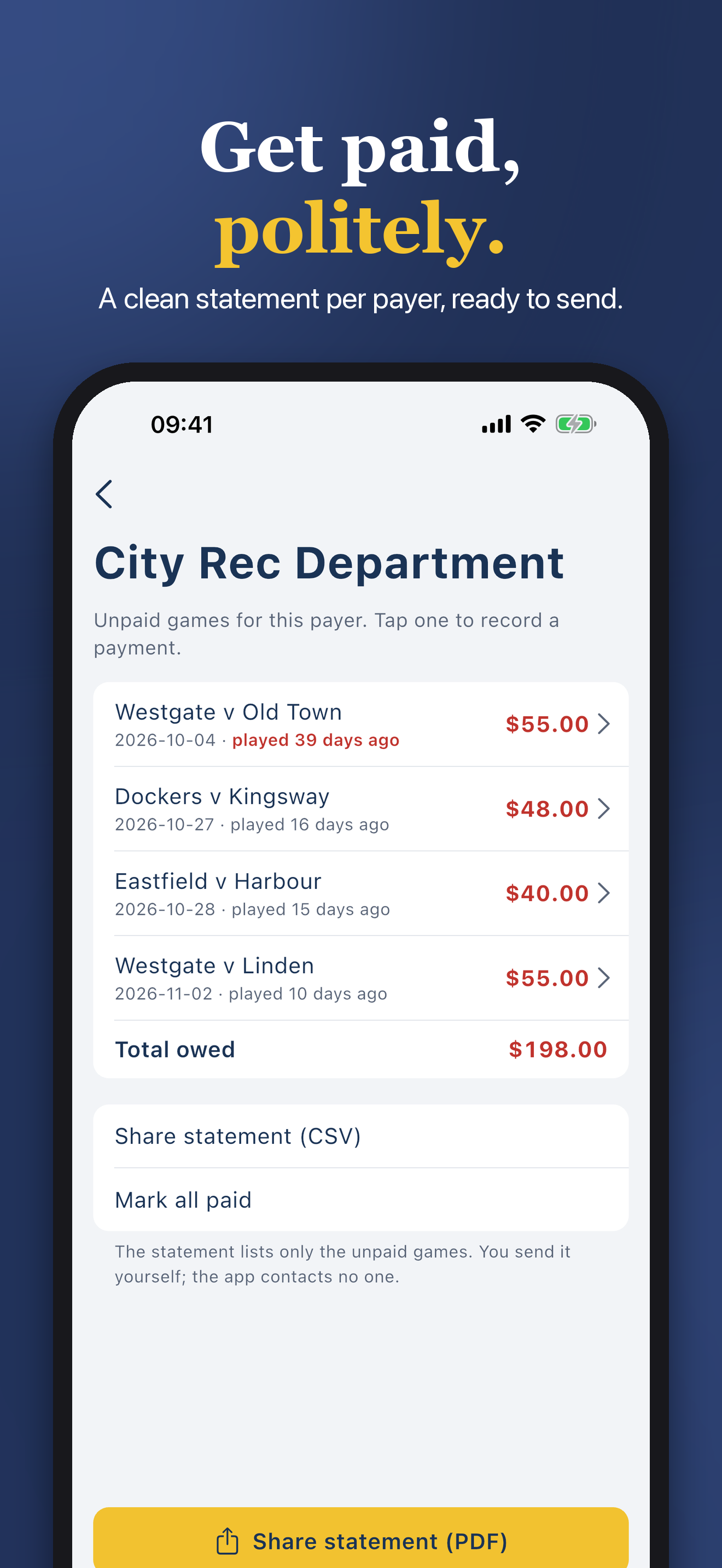
- Who owes you groups unpaid games by payer and shows how long the oldest one has waited.
- Two optional reminders: one on game day to log the game, one monthly for games unpaid over 30 days.
Upcoming and past
- Games ahead of today are listed as upcoming, the rest as past, season after season.
Reports
- Reports for a season or a tax year: fees, expenses, mileage value, fees minus expenses, paid and owed.
- A statement for each assigner.
- Export a report as a PDF or a CSV.
- A season follows the start month in Settings, a tax year the start date there.
Your records, your file
- Export one season or everything as a CSV that opens in any spreadsheet.
- Start a trip when you set off and end it on arrival, and the distance goes into the new game. The trip is measured on this device only.
- Backups are made automatically after changes and every week, and the last five are kept. Back up now to a file, or restore from a file.
- A short intro on first launch, which you can replay.
- Kilometres or miles, your currency symbol and the month your season starts.
Records only
- Whistle Log keeps your records and adds them up. It does not work out what you owe or can claim.
Private
- Your games are yours. There is no account to make and nothing to sign in to.
- Your data stays on your devices. The app has no account, no analytics and no tracking, and collects no data. If you turn on iCloud sync (off until you do), your games, settings and receipts go only to your own iCloud, never to us.
- It fits iPhone and iPad, and it also runs on a Mac with Apple silicon.
Where to get it
On the App Store for iPhone and iPad. An Apple Watch app where the features below say so.
Questions or a problem: support. What it does with your data: privacy.